Package
Learning outcomes
- Understand how to package a Python project
- Package our Python project locally
- Run a script with our Python project
- Upload our package to PyPI
For teachers
Prerequisites are:
- .
Teaching goals are:
- .
Prior:
- .
Lesson plans:
gantt
  title Lesson plan pair programming 1
  dateFormat X
  axisFormat %s
  Introduction : intro, 0, 5s
  Theory 1: theory_1, after intro, 5s
  Exercise 1: crit, exercise_1, after theory_1, 15s
  Feedback 1: feedback_1, after exercise_1, 5s
  Theory 2: theory_2, after feedback_1, 5s
  Exercise 2: crit, exercise_2, after theory_2, 10s
  Exercise 2 after the break: crit, after exercise_2, 5s
Why put your code in a Python package?
Our app on PyPI
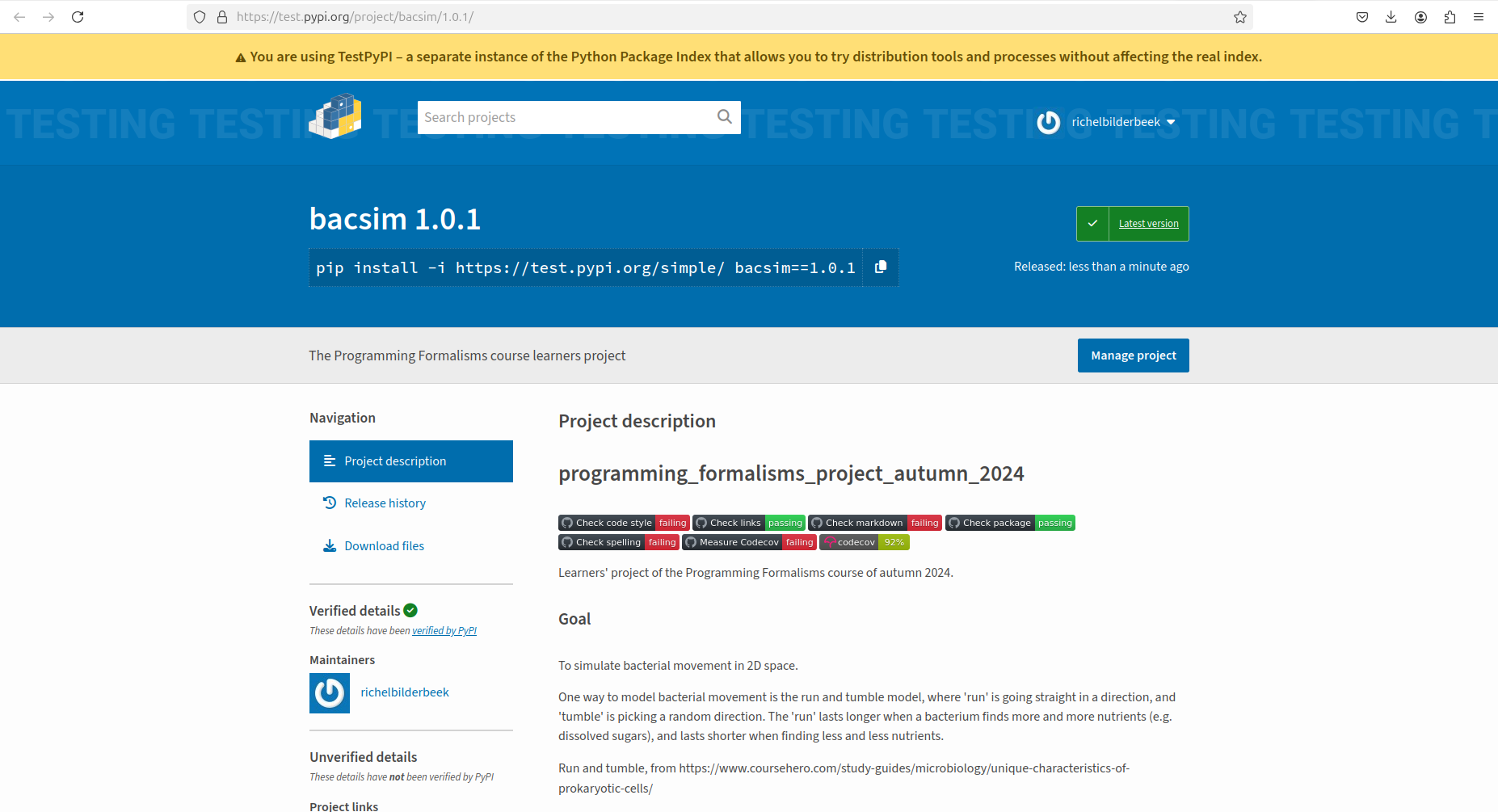
An earlier project called
bacsimon (the test version of) PyPI
You want to share or re-use your work in the regular way.
Exercises
Exercise 1: install package locally
- Scan the 'Python Packaging User Guide' section on 'Packaging Python Projects' until (and excluding) 'Generating distribution archives'
- Does the learners' project follow all of these guidelines?
Answer
Yes.
The learners' project already follows all of these guidelines :-)
- Does the learners' project check if our project can be put in a package?
Answer
Yes.
You can find this in the .github/workflows/check_package.yaml
script
- How does the learners' project put our code into a package? You can find it in the CI script.
- Create a local package from the learners' project's code. Use the CI script's code as a hint.
Answer
The script uses:
However, variations to get this to work on your computer are:
- use
pythoninstead ofpython3 - add
--break-system-packagesat the end, i.e. runpython3 -m pip install . --break-system-packages
- Scan the file
main.pyin the root folder of the learners' project. Confirm that it assumes our Python package to be present. What is the name of our Python package?
Answer
The script imports a function from weather:
Hence, our package is called weather.
Another way to find out, is to read pyproject.toml, another
file in the root folder of our project.
It reads:
- Run the script
main.pyto verify our package is installed. Have you successfully installed our code as a package?
Answer
If you see this error message, the answer is 'no':
Traceback (most recent call last):
  File "/home/richel/GitHubs/programming_formalisms_project_summer_2026/main.py", line 10, in <module>
    from weatherx.experiment import (
ModuleNotFoundError: No module named 'weather'
If you get an error such as Cannot find file 'parameters.csv'
it means that our package is installed successfully.
Sure, it does not do actual work, but it is installed!
Exercise 2: upload package to PyPI
Exercise 2.1: Build the package distribution files
In this exercise, we are going to build the package. Building a package means collecting all the files needed to be able to distribute it.
The most important file for this is a file called pyproject.toml,
which describes which files to use in the package.
pyproject.toml is called the package manifest.
The toml file extension hints that this file is written in TOML,
a markup language.
Take a look at that file.
How does that file look?
The file will look similar to this:
[build-system]
requires = ["hatchling"]
build-backend = "hatchling.build"

[tool.hatch.build.targets.wheel]
packages = ["weather"]

[project]
name = "uppsalaweathersummer2026"
version = "0.1"
authors = [
  { name="Richèl Bilderbeek", email="rjcbilderbeek@gmail.com" },
]
description = "The Programming Formalisms course learners project"
readme = "README.md"
requires-python = ">=3.7"
classifiers = [
    "Programming Language :: Python :: 3",
    "License :: OSI Approved :: MIT License",
    "Operating System :: OS Independent",
]


[project.urls]
"Homepage" = "https://github.com/programming-formalisms/programming_formalisms_project_summer_2026"
"Bug Tracker" = "https://github.com/programming-formalisms/programming_formalisms_project_summer_2026/issues"

[tool.ruff]
    lint.select = ["ALL"]
    lint.ignore = ["ANN", "PT", "PTH", "D211", "D213", "S101", "B006"]

[tool.hatch.build.targets.sdist]
include = [
  "/data",
  "/weather",
  "/tests",
]
What is the version of our package?
Answer
The version can be found at the project section, for example:
In this case, the version is 0.1.
Will the work in the learners folder be part of the package? Why?
Answer
No.
We can see in the section below, that only the data, weather
and tests folders become part of our package:
From our package manifest, we need to install the Python package to build our Python package. For this, we follow the steps at the official Python packaging documentation:
Install the build Python package:
Before building, we need to modify the pyproject.toml file,
so that all learners have a unique project and all can upload
it to PyPI.
In pyproject.toml, modify the project name to something unique, e.g:
Run build in the root folder of our package to build our unique package:
How does that look like?
richel@richel-N141CU:~/GitHubs/programming_formalisms_project_summer_2026$ python3 -m build
* Creating isolated environment: venv+pip...
* Installing packages in isolated environment:
  - hatchling
* Getting build dependencies for sdist...
* Building sdist...
* Building wheel from sdist
* Creating isolated environment: venv+pip...
* Installing packages in isolated environment:
  - hatchling
* Getting build dependencies for wheel...
* Building wheel...
Successfully built weather-1.0.1.tar.gz and weather-1.0.1-py3-none-any.whl
Now there will be files in the dist folder.
These are the file to distribute your files.
How does that look like?
Well done, you've just created the package distribution files!
Exercise 2.2: Upload our package distribution
Last step is to upload our package distribution files to https://test.pypi.org:
Install the twine package to be able to upload our
package distribution files:
After registering to https://test.pypi.org, you have the API token be allowed to upload to testPyPI. Upload:
I got a 403 error with the word 'legacy' in it
This error happens when you are not the first to upload this package.
To solve this, edit the pyproject.toml file. Look for this section:
Replace the name by something new, for example:
Rebuild the package again and upload.
How does that look like?
richel@richel-N141CU:~/GitHubs/programming_formalisms_project_summer_2026$ python3 -m twine upload --repository testpypi dist/*
Uploading distributions to https://test.pypi.org/legacy/
Enter your API token:
Uploading weather-1.0.1-py3-none-any.whl
100% ━━━━━━━━━━━━━━━━━━━━━━━━━━━━━━━━━━━━━━━━ 24.8/24.8 kB • 00:00 • 72.3 MB/s
Uploading weather-1.0.1.tar.gz
100% ━━━━━━━━━━━━━━━━━━━━━━━━━━━━━━━━━━━━━━━━ 1.6/1.6 MB • 00:00 • 8.5 MB/s

View at:
https://test.pypi.org/project/weather/1.0.1/
Indeed, the package can now be found at https://test.pypi.org/project/weather/1.0.1/.
How does that look like?
Confirm that the package works.
'No matching distribution found'?
This happens if you are too quick:
richel@richel-latitude-7430:~/GitHubs/programming_formalisms_project_summer_2026$ pip install -i https://test.pypi.org/simple/ uppsalaweathersummer2026richel==0.3 --break-system-packages
Defaulting to user installation because normal site-packages is not writeable
WARNING: Skipping /usr/lib/python3.12/dist-packages/protontricks-1.10.5.dist-info due to invalid metadata entry 'name'
Looking in indexes: https://test.pypi.org/simple/
ERROR: Could not find a version that satisfies the requirement uppsalaweathersummer2026richel==0.3 (from versions: 0.1, 0.2)
ERROR: No matching distribution found for uppsalaweathersummer2026richel==0.3
Wait around 3 seconds and try again 
I get an assertion error?
This happens when there are failing assert in the package, for example:
richel@richel-latitude-7430:~/GitHubs$ python
Python 3.12.3 (main, Mar 23 2026, 19:04:32) [GCC 13.3.0] on linux
Type "help", "copyright", "credits" or "license" for more information.
>>> import weather.analysis
Anna's function has read the data
Sven's function has created statistics output
Sven's function has created a figure
Analysis done
Traceback (most recent call last):
  File "<stdin>", line 1, in <module>
  File "/home/richel/.local/lib/python3.12/site-packages/weather/analysis.py", line 67, in <module>
    assert check_file_exists("main.py")
           ^^^^^^^^^^^^^^^^^^^^^^^^^^^^
AssertionError
To fix this, run Python in release mode:
Now the asserts are removed.
How does this look like?
Similar to this:
richel@richel-latitude-7430:~/GitHubs$ python -O
Python 3.12.3 (main, Mar 23 2026, 19:04:32) [GCC 13.3.0] on linux
Type "help", "copyright", "credits" or "license" for more information.
>>> import weather.analysis
Anna's function has read the data
Sven's function has created statistics output
Sven's function has created a figure
Analysis done
>>> weather.analysis.do_analysis()
Anna's function has read the data
Sven's function has created statistics output
Sven's function has created a figure
Analysis done
>>>