Log in to the Bianca remote desktop environment website from outside of the SUNET
There are multiple ways to log in to Bianca. This page describes how to log in to Bianca Remote desktop using a Rackham4 to get into SUNET from outside of the Swedish university networks.
If you need Graphics and cannot use VPN to connect to SUNET, follow the procedure on this page. This applies, for instance, to "Karolinska Institutet" users without VPN and working abroad.
Danger
- Do not log in to a SUNET server like Pelle and from there log in to Bianca.
- This will let all sensitive data land on that server uncrypted as an intermediate step.
- Other clusters in SUNET are not secure systems and could be spied on.
Procedure with using rackham4 as a "SOCKS proxy"
What is SOCKS proxy?
First, let's explain what SSH tunneling means (-L).
ssh -L opens a local port. Everything that you send to that port is put through the ssh connection and leaves through the server.
If you do, e.g., ssh -L 4444:google.com:80, if you open http://localhost:4444 on your browser, you'll actually see google's page.
ssh -D opens a local port, but it doesn't have a specific endpoint like with -L. Instead, it pretends to be a SOCKS proxy.
If you open, e.g., ssh -D 7777, when you tell your browser to use localhost:7777 as your SOCKS proxy,
everything your browser requests goes through the ssh tunnel.
To the public internet, it's as if you were browsing from your ssh server instead of from your computer.
Get inside SUNET
In a terminal:
- Give your credentials.
- You should now be on the
rackham4cluster, even though there is no confirmation that you are connected. - Leave this terminal open and instead...
Connect via web browser
- Go to the Firefox browser (must be if you are using Windows)
- Go for "Settings" in the menu.
- Search for
socks. -
Type
https://content.uppmax.uu.se/bianca.pacand click check boxes according to the image below.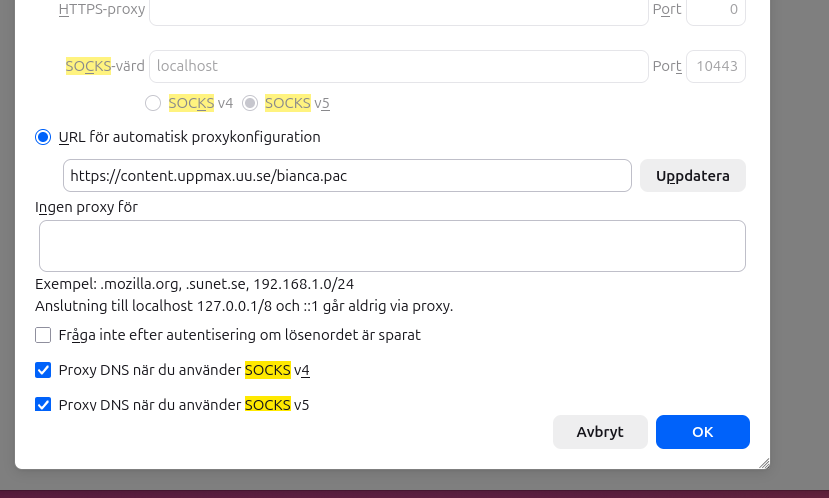
-
Still in Firefox, start a new page and go to
bianca.uppmax.uu.se.
- Go to the Firefox browser (recommended)
- Go for "Settings" in the menu.
- Search for
socks. -
Type
https://content.uppmax.uu.se/bianca.pacand click the radio button "URL for automatic proxy configuration" or similar, and click "Update" button.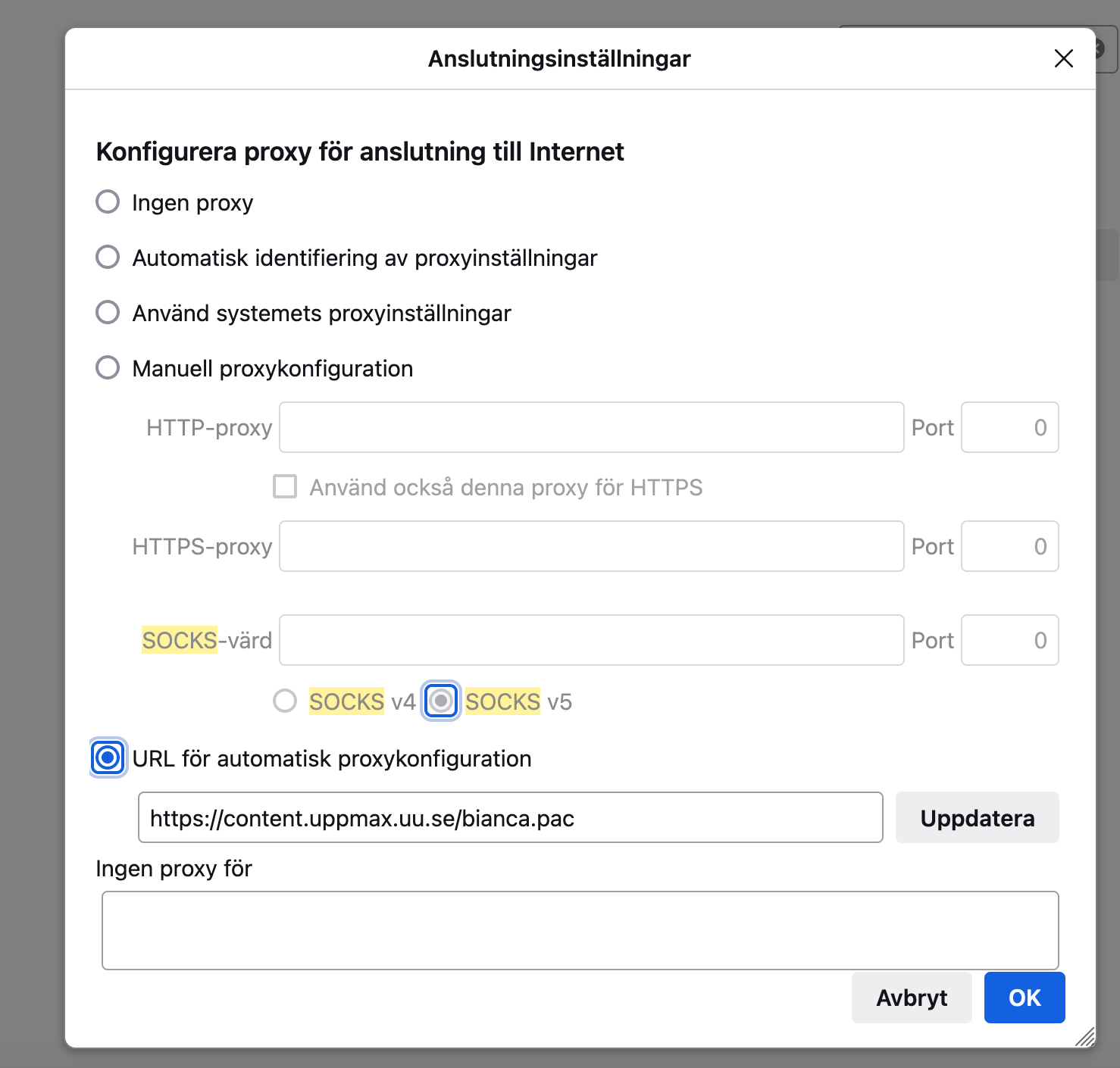
-
Still in Firefox, start a new page and go to
bianca.uppmax.uu.se.
Now, you can follow the steps given in this instruction.